Use Ameba To Securely Retrieve Information From The Internet
Materials
AmebaD [RTL8722DM / RTL8722CSM / RTL8722DM MINI] x 1
Example
This example uses Ameba to securely retrieve information from the internet using SSL. SSL is an acronym for Secure Sockets Layer. It is a cryptographic protocol designed to provide communications security over a computer network, by encrypting the messages passed between server and client.
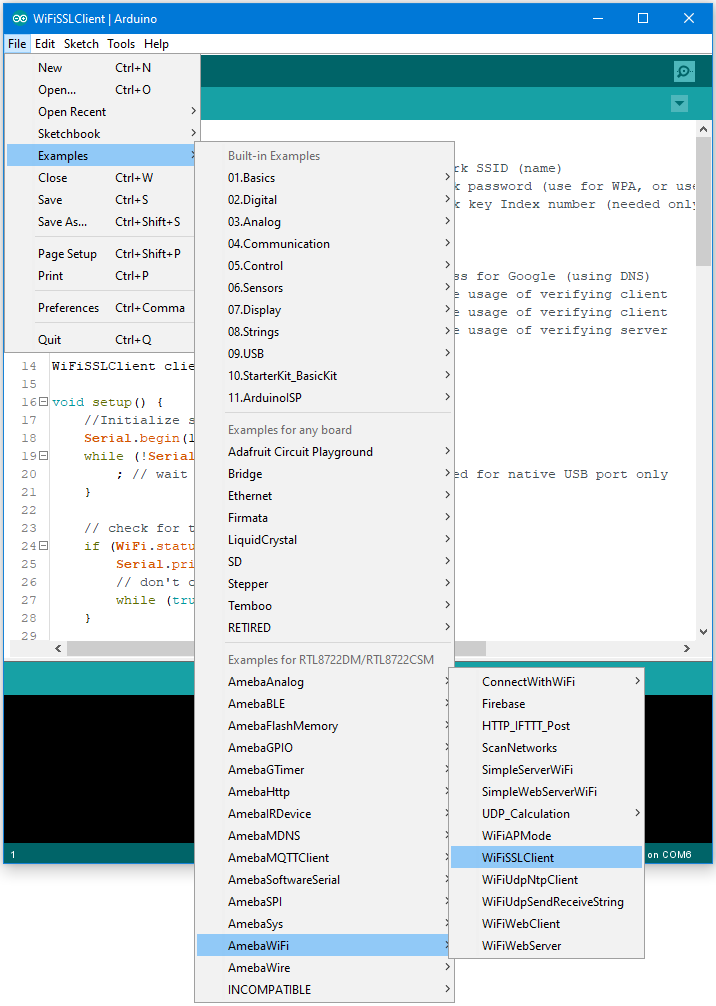
Open the “WiFiSSLClient” example in “File” -> “Examples” -> “AmebaWiFi”
-> “WiFiSSLClient”.
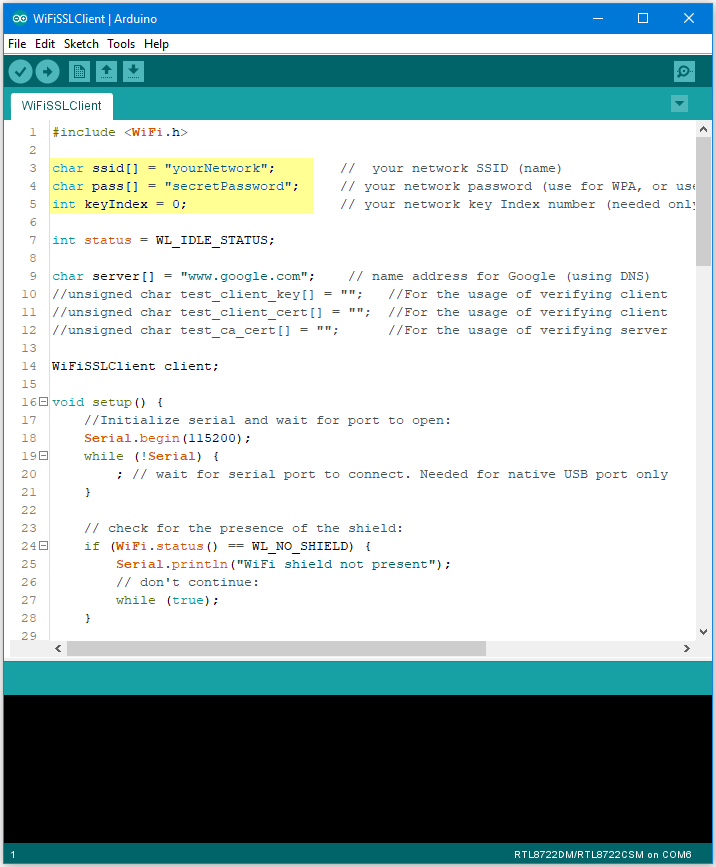
In the sample code, modify the highlighted snippet to reflect your WiFi network settings.
Upload the code and press the reset button on Ameba once the upload is finished.
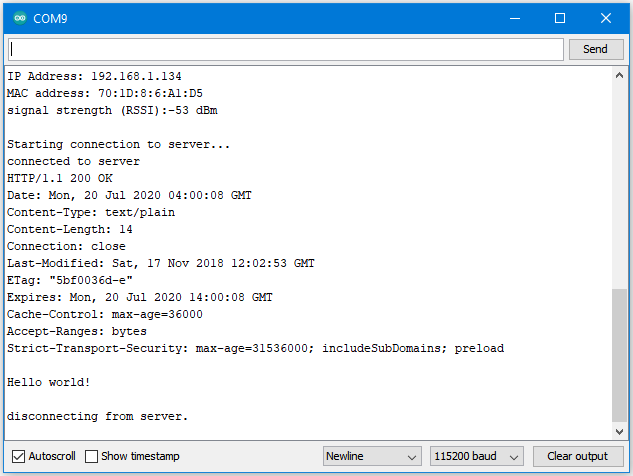
Open the serial monitor in the Arduino IDE and observe as Ameba retrieves a text file from os.mbed.com.
Code Reference
Use “WiFiSSLClient client;” to create a client that uses SSL. After creation, the client can be used in the same way as a regular client.