Audio Codec - Input FFT
Materials
AmebaD [RTL8722DM / RTL8722CSM / RTL8722DM MINI] x 1
Analog microphone x 1 (e.g., Adafruit 1063 / 1064)
Example
Introduction
This example shows how to use the FFT class to calculate the fast
Fourier transform of the audio signal recorded by the microphone.
Procedure
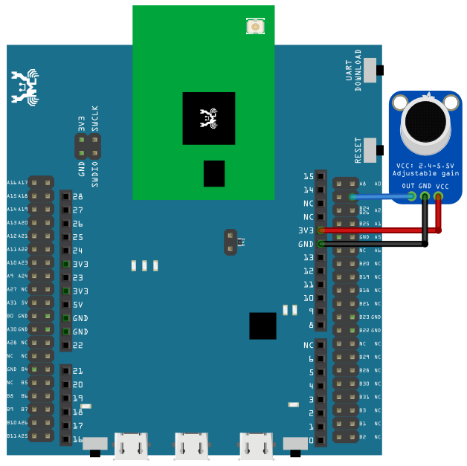
Connect the microphone to the RTL8722 board following the diagram.
RTL8722DM / RTL8722CSM Wiring Diagram:
RTL8722DM MINI Wiring Diagram:
As RTL8722DM_MINI have a built in microphone on the board, there
is no need for any external microphone.
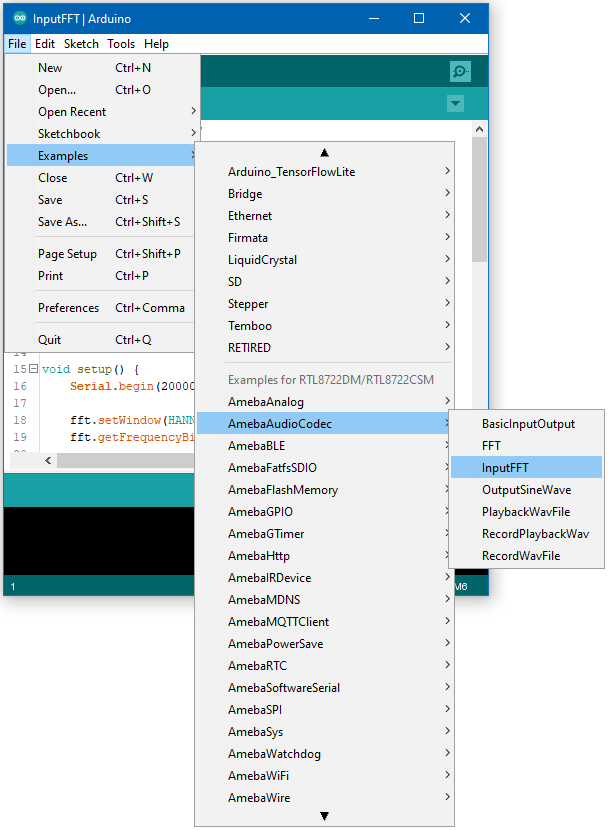
Next, open the example, "Files" -> "Examples" -> “AmebaAudioCodec” ->
“InputFFT”.
Upload the code and press the reset button on Ameba once the upload is
finished.
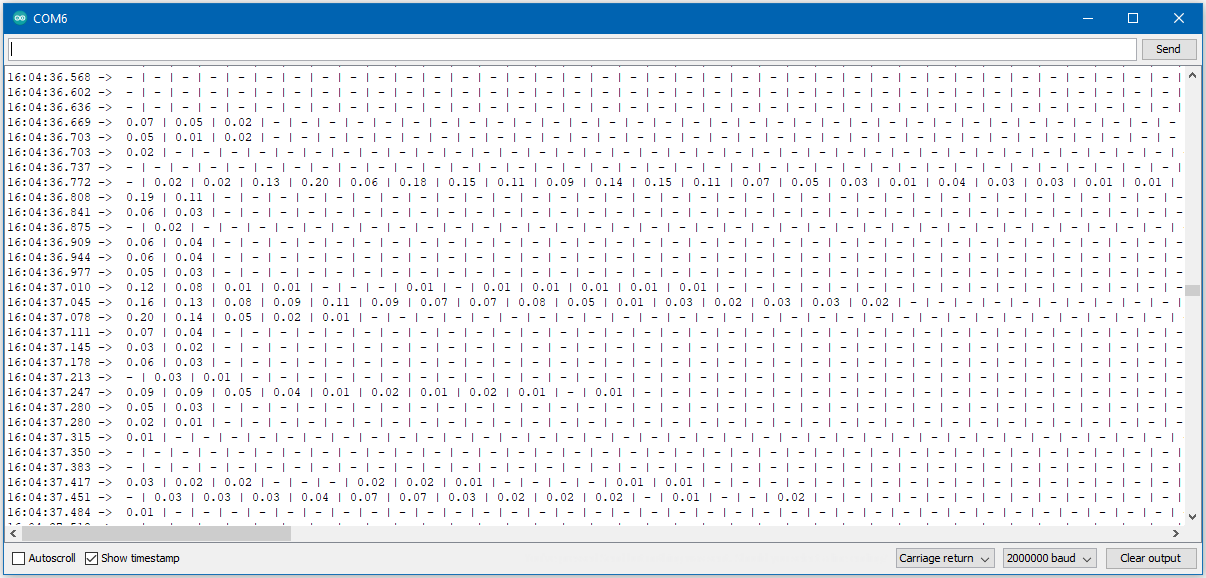
Open the serial monitor and change the baud rate to 2000000. A stream of
FFT results of audio samples will be displayed. Try playing music or use
a smartphone app to generate a sine wave into the microphone, and you
should be able to see the FFT output change.