E-Paper - Display Text
Materials
AmebaD [RTL8722DM / RTL8722CSM / RTL8722DM MINI] x 1
Waveshare 2.9inch e-Paper HAT (D) x 1
Example
In this example, we use the Ameba RTL8722 module connects to a Waveshare
2.9inch e-Paper module to display a few QR codes. The display uses the
flexible substrate as a base plate, with an interface and a reference
system design.
The 2.9” active area contains 296×128 pixels and has
1-bit white/black full display capabilities. An integrated circuit
contains gate buffer, source buffer, interface, timing control logic,
oscillator, etc… are supplied with each panel.
You may refer to the
official 2.9inch e-Paper HAT (D)
datasheet to
know more information about this module.
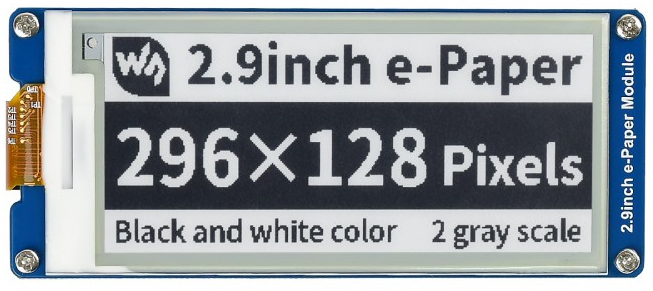
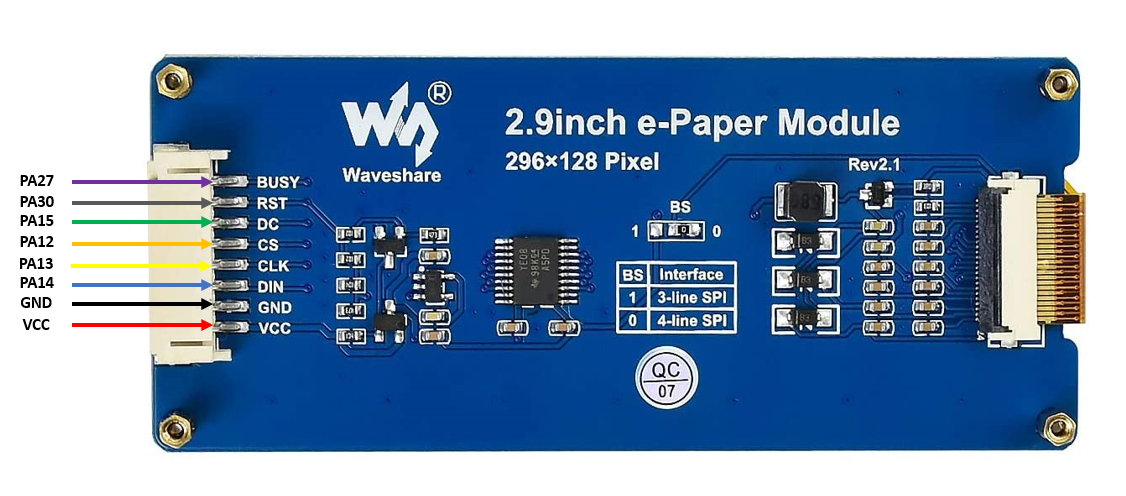
Front view of the e-Paper Module:
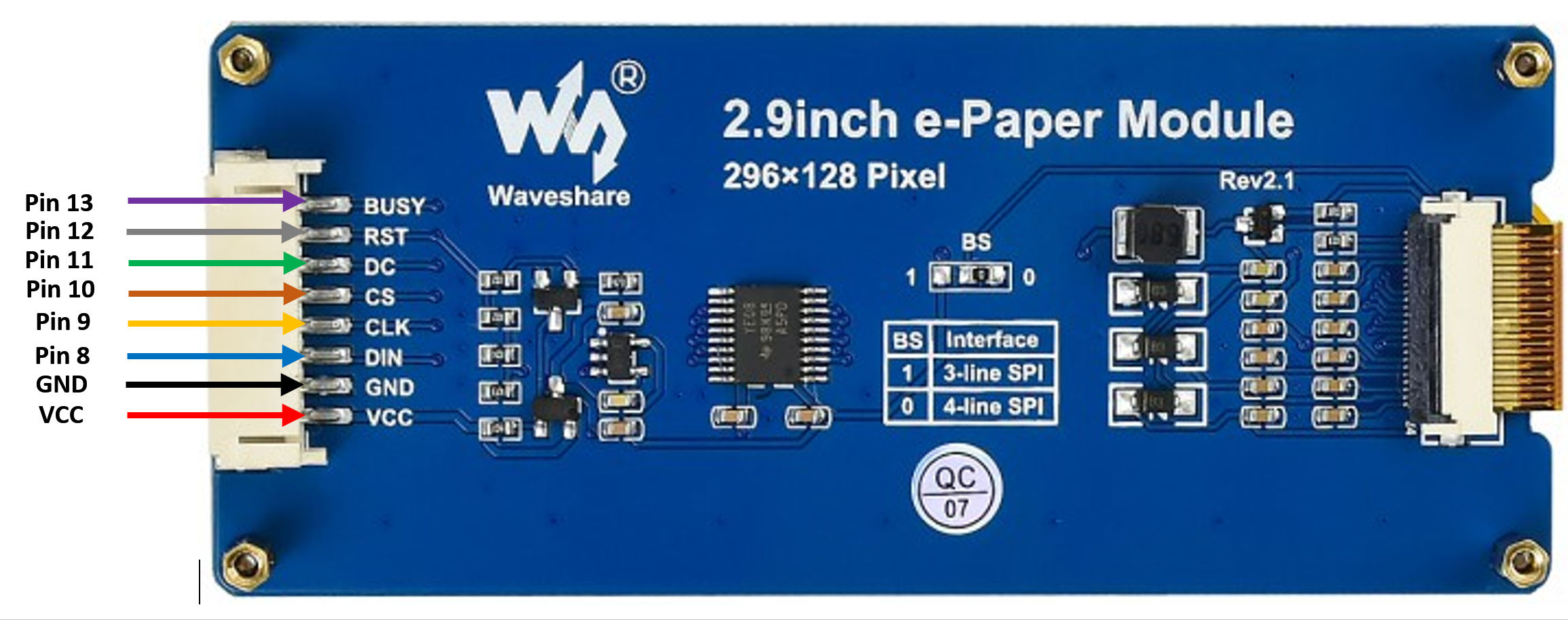
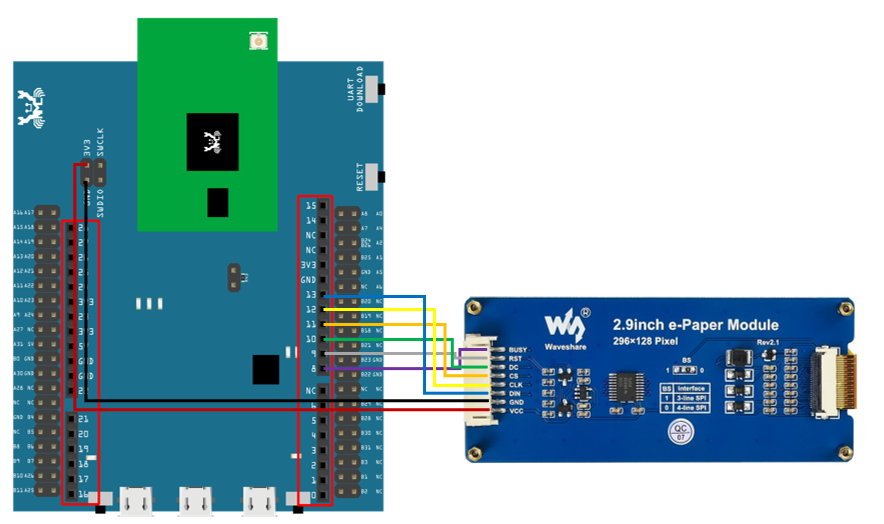
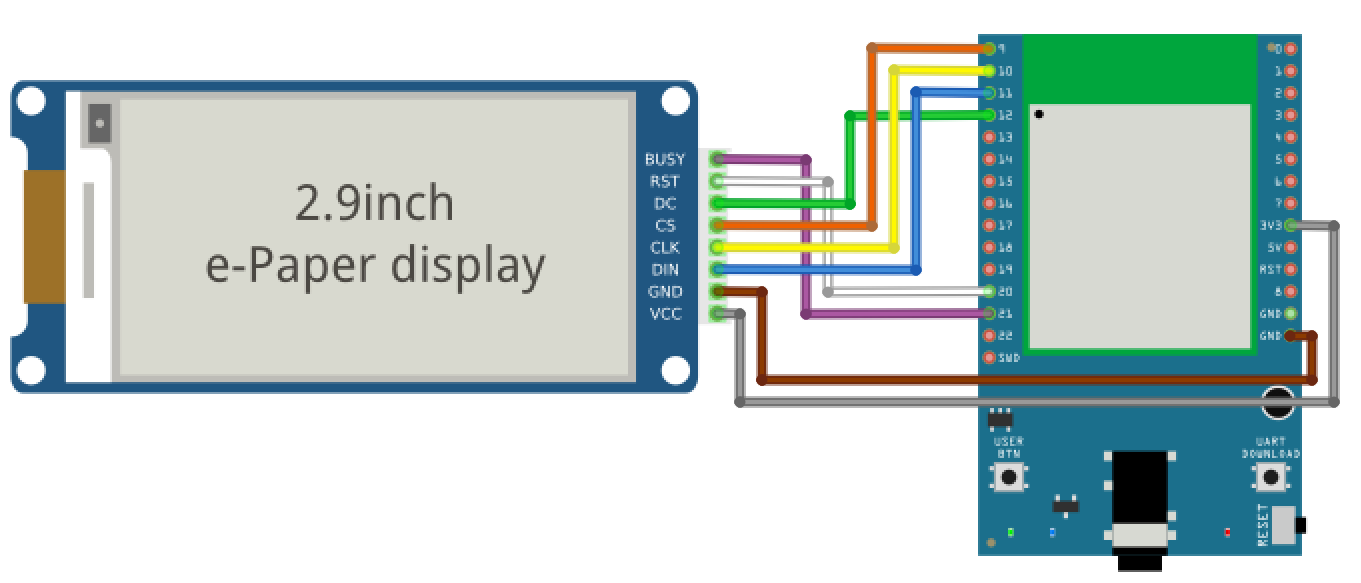
RTL8722DM / RTL8722CSM Wiring Diagram:
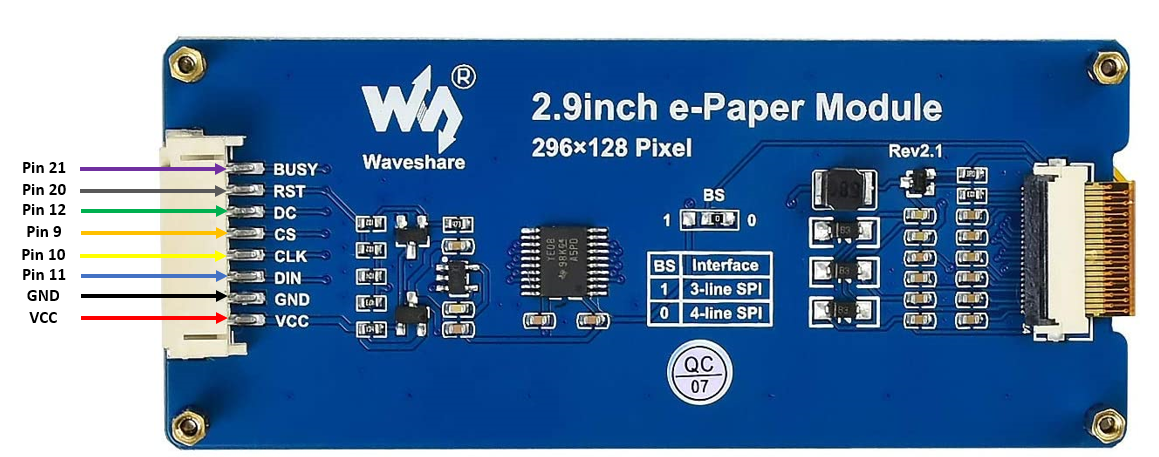
RTL8722DM MINI Wiring Diagram:
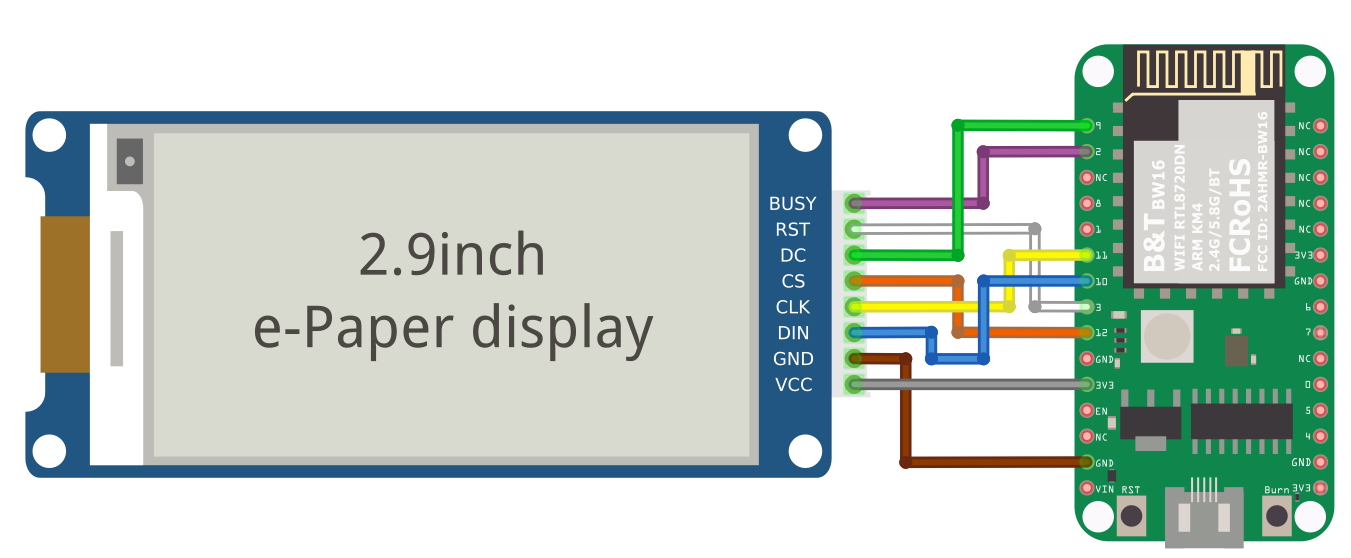
RTL8720DN(BW16) Wiring Diagram:
Download the Eink zip library, AmebaEink.zip, at
https://github.com/ambiot/ambd_arduino/tree/master/Arduino_zip_libraries
Then install the AmebaEink.zip. Open the “DisplayQR” example in
“File” -> “Examples” -> “AmebaEink” -> “EinkDisplayText”: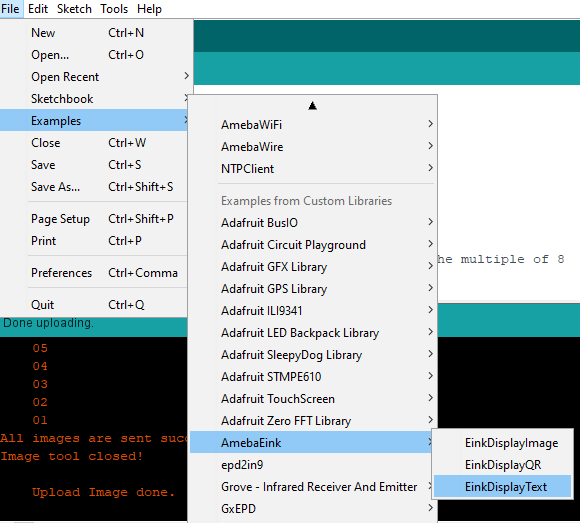
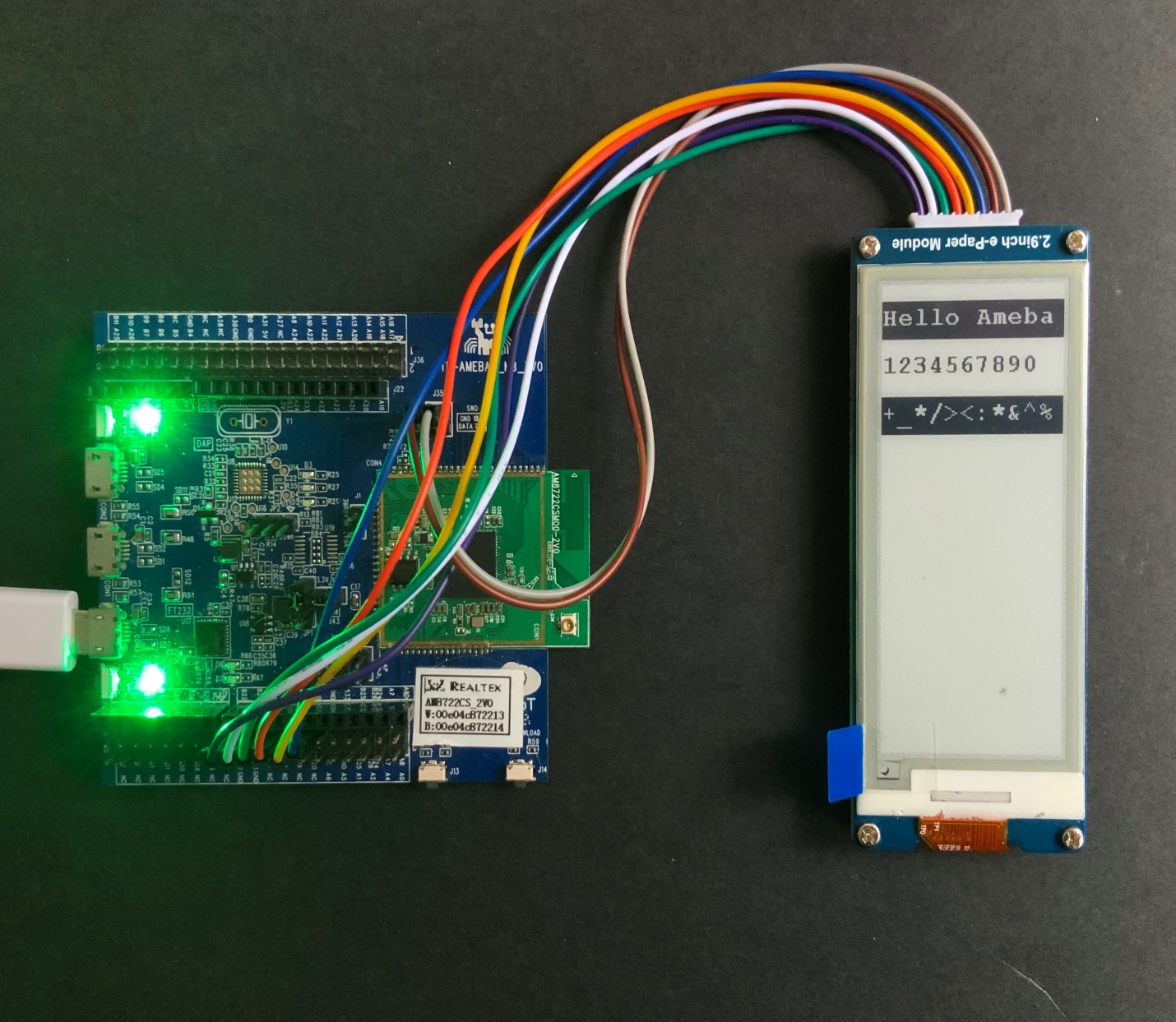
Upload the code to the board and press the Reset button after the uploading is done. You will find these texts displayed on the board:
Code Reference
[1] We use Good Display GDEH029A1 2.9 Inch / 296×128 Resolution / Partial Refresh Arduino Sample Code to get the e-Paper successfully Display: http://www.good-display.com/product/201.html